For digitisation projects

Scanning makes files. This makes them findable.

The processing and access layer between your scanning workflow and the repository or collections system you already run.

Fixed-scope 30-day pilot · £1,200 · Scoped on a call

The post-scanning layer

Easier to plan in than to bolt on.

A finished digitisation project should leave a catalogue behind it, not a folder of TIFFs and a reporting problem.
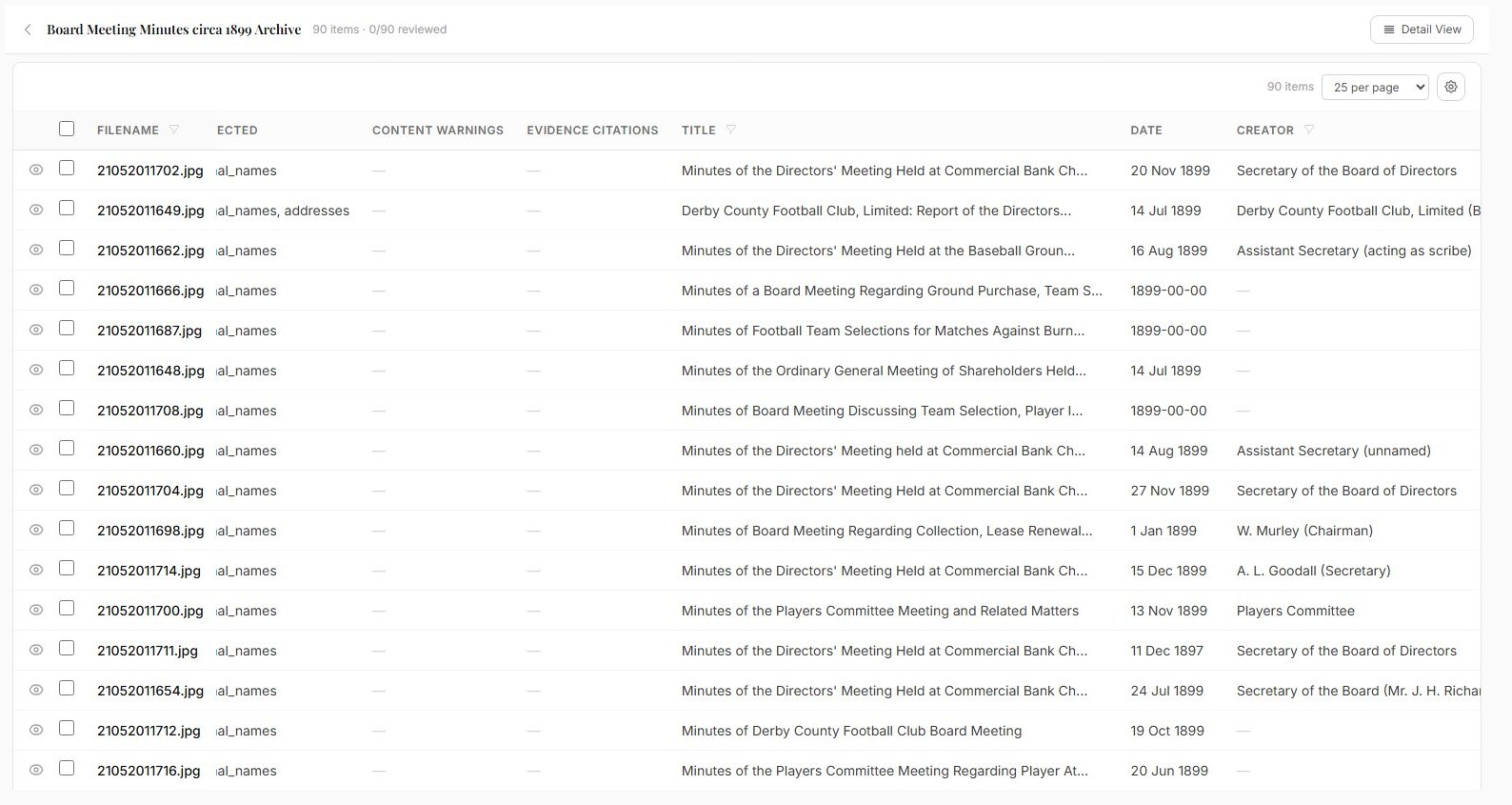
An Archivers.ai accession of 90 scanned board meeting minutes, headed 90 items and 0 of 90 reviewed, in a sortable table with columns for personal data detected, content warnings, evidence citations, title, date and creator
Bulk processing

A whole scanning run at once.

Text recognition, date extraction and entity recognition across the full delivery, drafted into structured fields for review.

  • Documents, photographs, audio and video; transcription on paid plans
  • Review queue sized to the project team
  • Credit cost shown before the run
See the full workflow
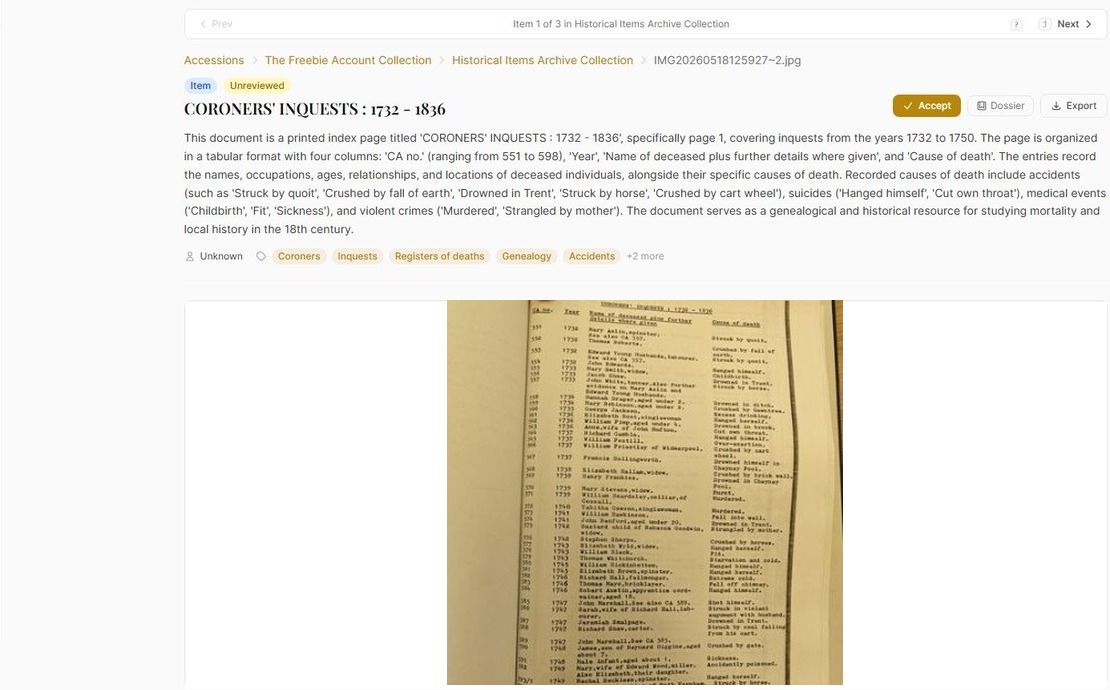
An Archivers.ai record for a scanned printed index page, showing the drafted description and subject tags beside the source page image, with the record still marked Unreviewed and an Accept button
Source verification

Check the record against the page.

Each drafted record sits beside the scan it came from, with a citation back to the exact source page.

  • Record and source page side by side
  • Page-by-page coverage attestation on conversion
  • A permanent citation to the source
How we use AI
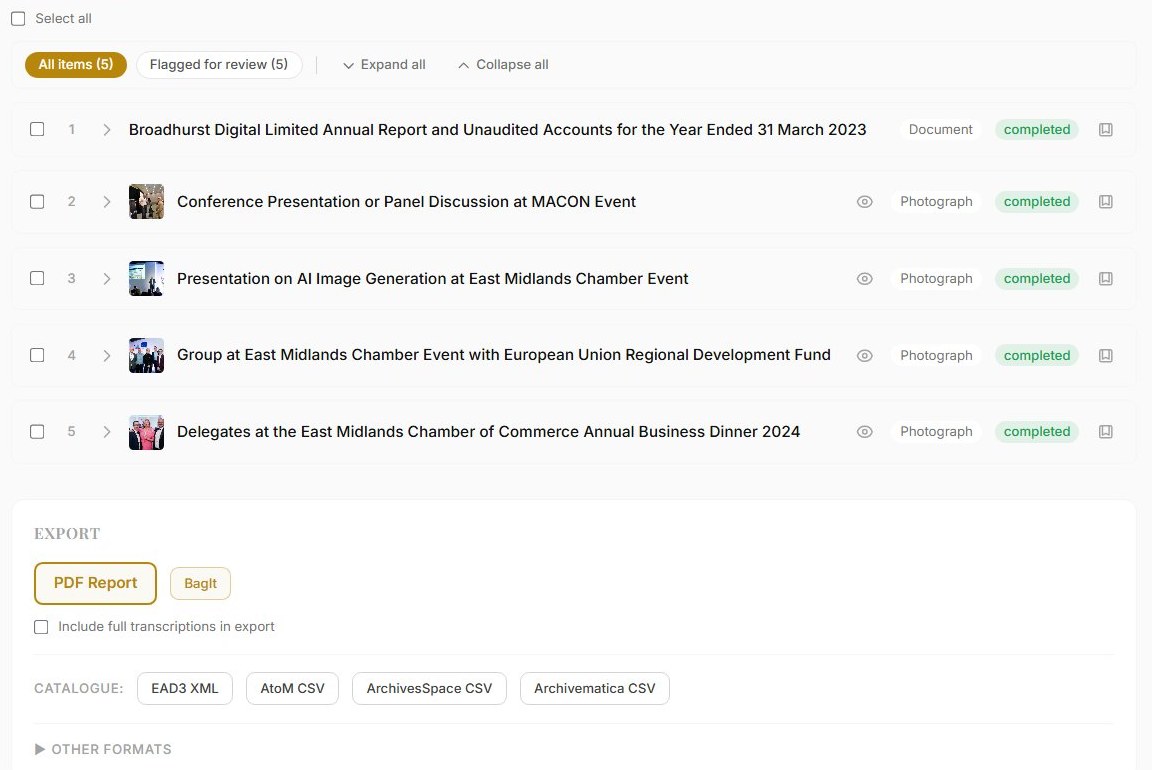
A completed Archivers.ai accession listing reviewed items above an export panel offering a PDF report, BagIt, and catalogue exports for EAD3 XML, AtoM CSV, ArchivesSpace CSV and Archivematica CSV
Handover

Deposit, then keep the access.

Reviewed records export into your repository, and the same collection stays searchable for staff and the public afterwards.

  • EAD3, Dublin Core, BagIt with PREMIS
  • Profiles tested against a staging instance
  • Staff Explore and public discovery after delivery
How onboarding works
What stands behind it

Four things we state plainly.

No forced migration of your repository

No duplicate data entry

Human review before anything exports

Open formats only, no lock-in

Common questions

What project teams ask first.

Where does this sit in the workflow?

After scanning, before ingest. Files come out of the digitisation workflow, records go into the repository or collections system you already run.

Which standards are mapped?

ISAD(G), EAD3, Spectrum, Dublin Core and PREMIS. Source schemas are mapped during onboarding and the mapping is documented before processing starts.

How do we know nothing was missed?

On legacy conversion a reviewer confirms page coverage, not only that the extracted record looks right — and for larger runs, a two-person model is available: a first reviewer checks against the source, an archivist gives final sign-off. The attestation is recorded with the record.

Can we bring our own digitisation supplier?

Yes. Archivers.ai is not a scanning bureau. We work alongside whoever delivers the files, and we partner with digitisation vendors directly.

What happens when the project closes?

Records are deposited in open formats, and the collection stays available through staff Explore and an optional public portal, with counts for end-of-grant reporting.

Plan the layer after the scanner.

Tell us the shape of the project and we will scope the processing and access phase with you.