1

Upload & Describe

Create an accession and add your files

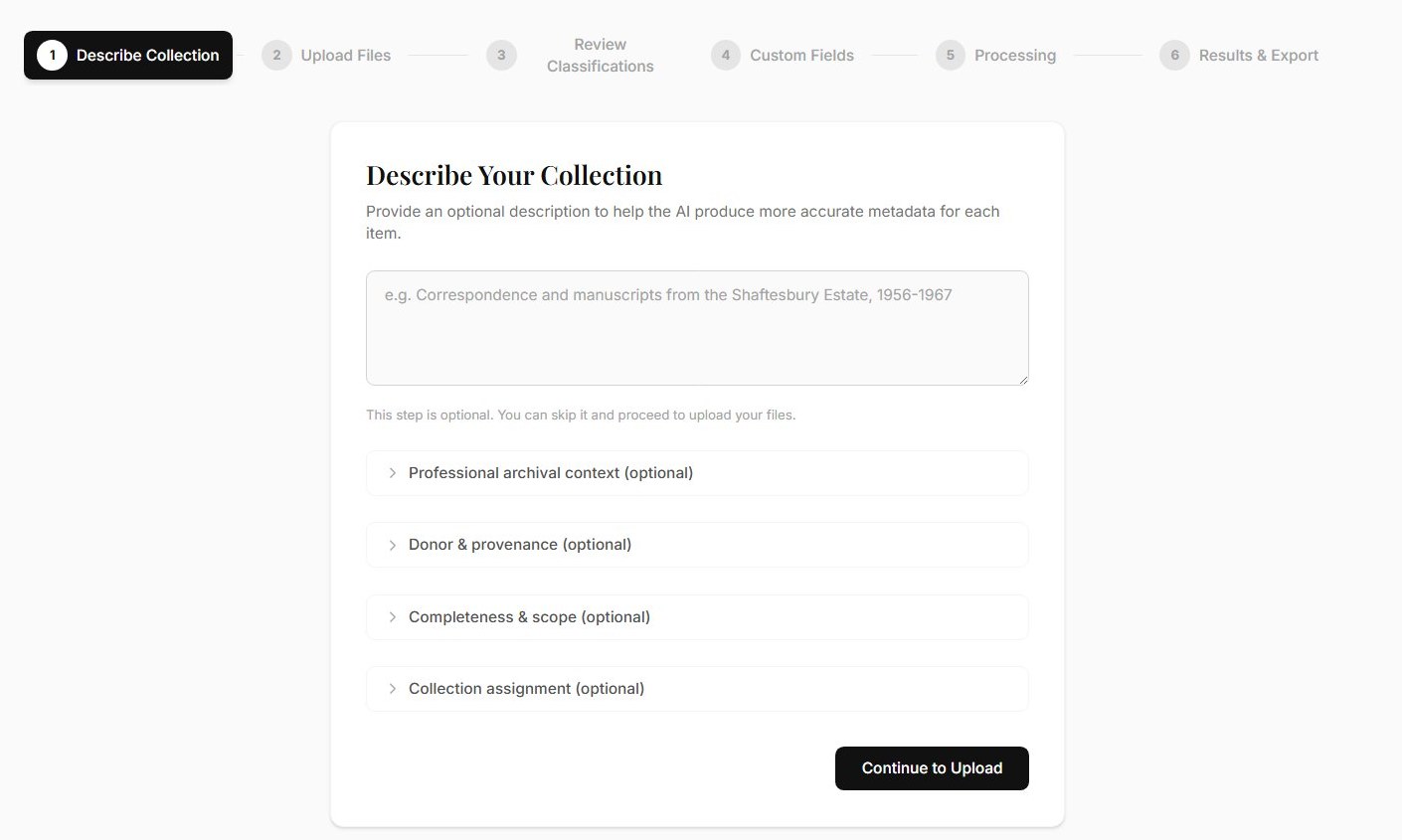
Start by creating an accession. Give it a title, date range, and any context you have — donor information, archival scope, or condition notes. Then upload your digitised files: photographs, documents, scanned records, audio, or video.

Your observations are injected into the AI prompts, so the more context you provide, the better the results. But even a title and a batch of files is enough to get started.

Archivers.ai's collection description form showing title, date range and archival context fields
2

AI Reads & Classifies

Every item analysed, transcribed and catalogued

Hit process and the AI gets to work. It reads each item — running OCR on documents, analysing photographs, transcribing audio — and drafts structured metadata: titles, dates, descriptions, subject terms, and ISAD(G)-aligned fields. All AI processing runs in EU data centres.

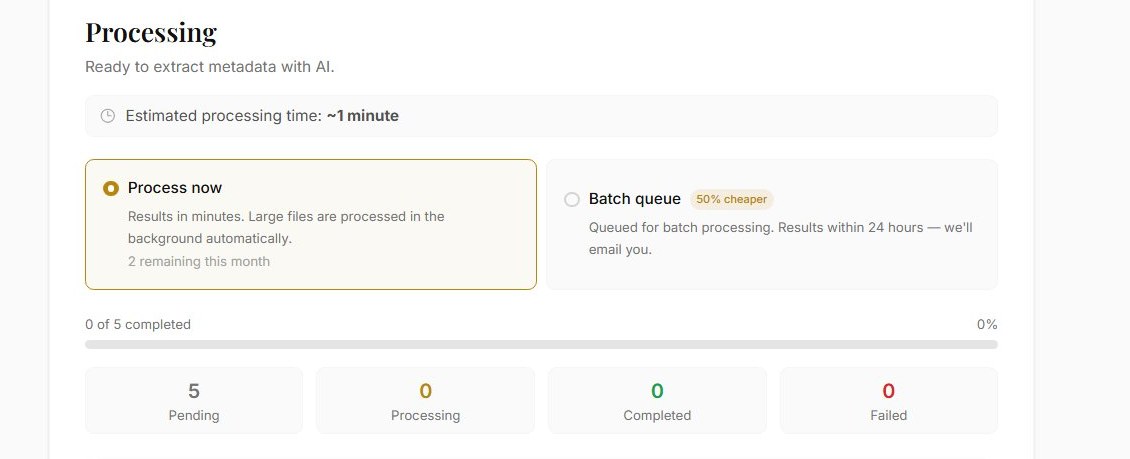
Before processing starts, the app shows you exactly how many credits the job will use — no surprises. Processing then happens in the background: close the browser and come back later, or watch the progress in real time as each item moves from queued to complete.

Processing complete screen showing all items at 100% with AI-generated metadata
3

Review with Confidence Flags

You approve, edit, or reject every field

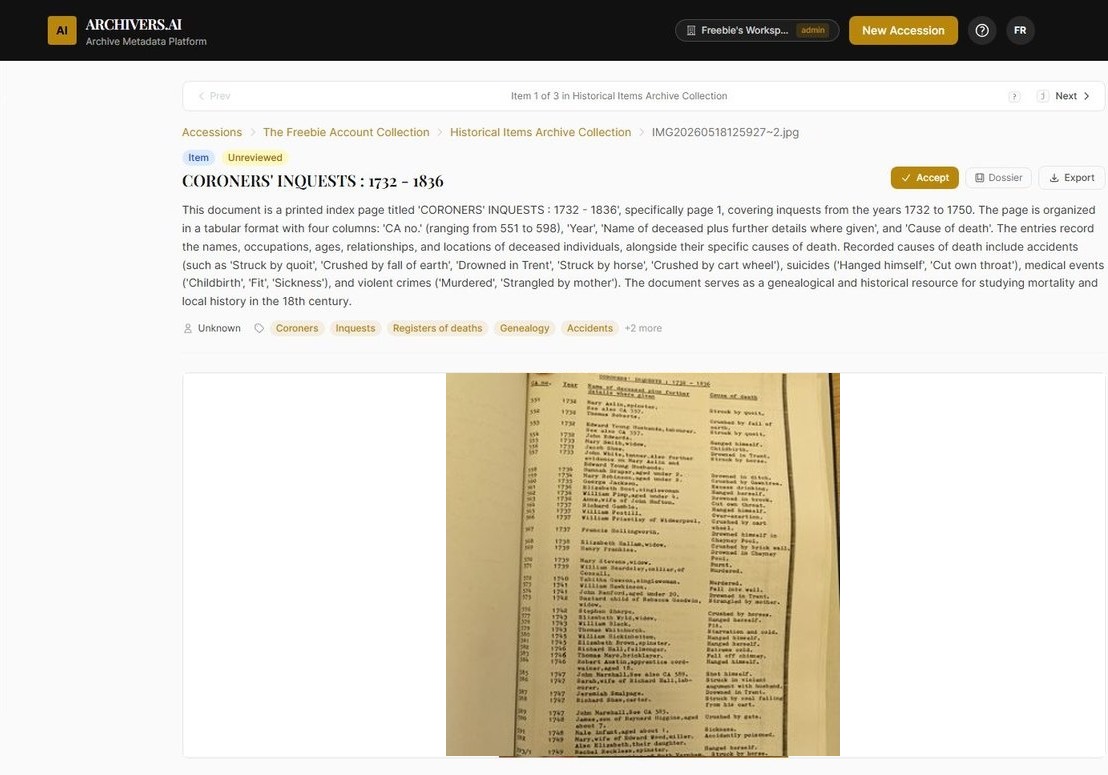
Every AI-generated field carries a confidence score. Low-confidence fields are flagged so you know exactly where to focus your attention. For each suggestion, the AI explains its reasoning — what it saw in the document and why it chose that value.

Edit any field, add your own notes, flag items for colleagues, or mark sensitive content with access restrictions. Nothing is final until you say it is. The AI is a tireless assistant, not a replacement for professional judgement.

AI-generated metadata showing title, date, description, subjects, PII detection and AI rationale with confidence scores
4

Export

Standards-ready outputs for your systems

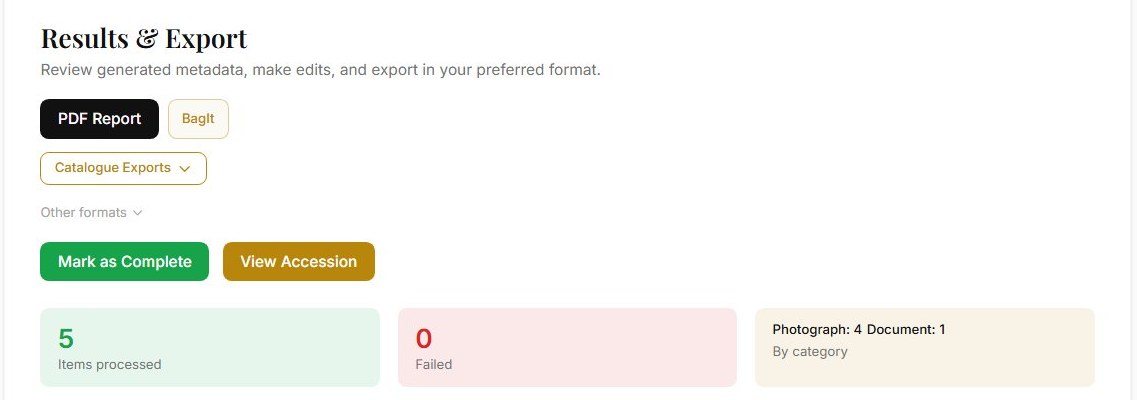
Export your catalogued collection in the format your systems need: EAD3 XML finding aids, BagIt packages with PREMIS provenance, Dublin Core XML, or CSV files formatted for direct import into AtoM, ArchivesSpace, or Archivematica.

Every export includes provenance for AI-assisted fields — recording model family, timestamp, and review state alongside the archivist who signed off each field. Your exports carry the audit detail downstream systems expect.

Works with: AtoM, ArchivesSpace, Axiell, Modes, Adlib, Mimsy, Preservica, Archivematica, and other repository and CMS platforms. Your system of record stays where it is.

Export formats dropdown showing EAD3 XML, AtoM CSV, ArchivesSpace CSV and Archivematica CSV options
+

Search & Analyse

Explore your collection instantly

Once processed, your entire collection is searchable. Find items by keyword, date, subject, or format — all powered by the metadata your AI and archivists created together.

Professional and above
The analysis suite goes further: whole-collection analysis to surface themes and identify gaps, fonds and ISAD(G) drafting, research dossiers, and AI organise for arrangement suggestions. Available on Professional plans and above.

Search results showing items found by keyword with thumbnails and AI-generated descriptions

Built on standards archivists trust

ISAD(G) EAD3 Dublin Core BagIt (RFC 8493) PREMIS AtoM ArchivesSpace Archivematica
See all standards →

What does it cost to run?

Archivers.ai is credit-based, with transparent pricing, published when we launch. One credit catalogues one photograph or object, one document page, one minute of video, or five minutes of audio. An Explore message uses one credit; deep AI analyses use five. The app shows you the credit cost before you commit.

Volunteer and reviewer seats are free on every paid plan.

Join the waitlist