How It Works
Describe your collection, upload your files, and let AI generate structured draft metadata — then review every field with confidence scores before you export.
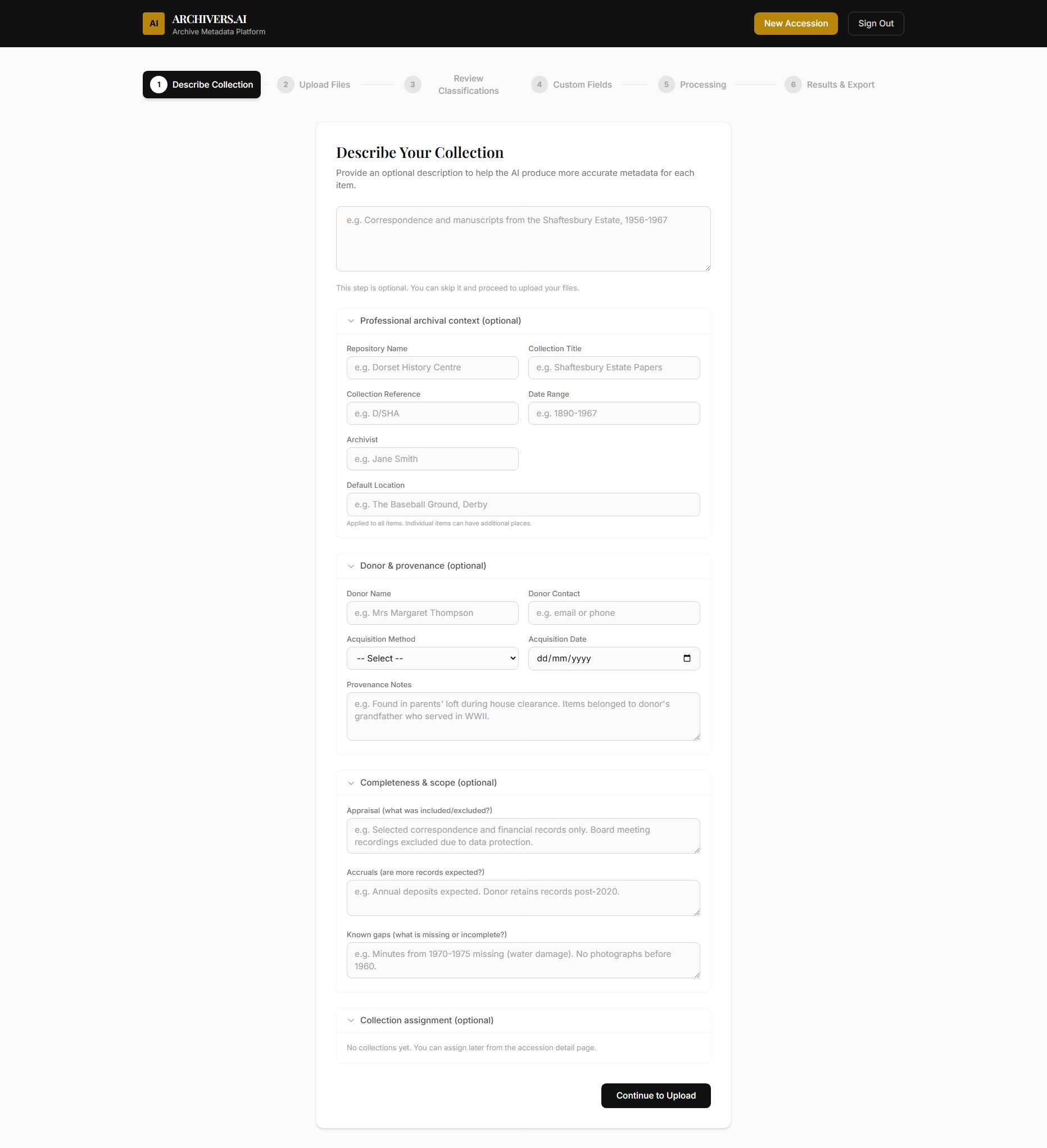
Create an accession and add your files
Start by creating an accession. Give it a title, date range, and any context you have — donor information, archival scope, or condition notes. Then upload your digitised files: photographs, documents, scanned records, audio, or video.
Your observations are injected into the AI prompts, so the more context you provide, the better the results. But even a title and a batch of files is enough to get started.
Every item analysed, transcribed and catalogued
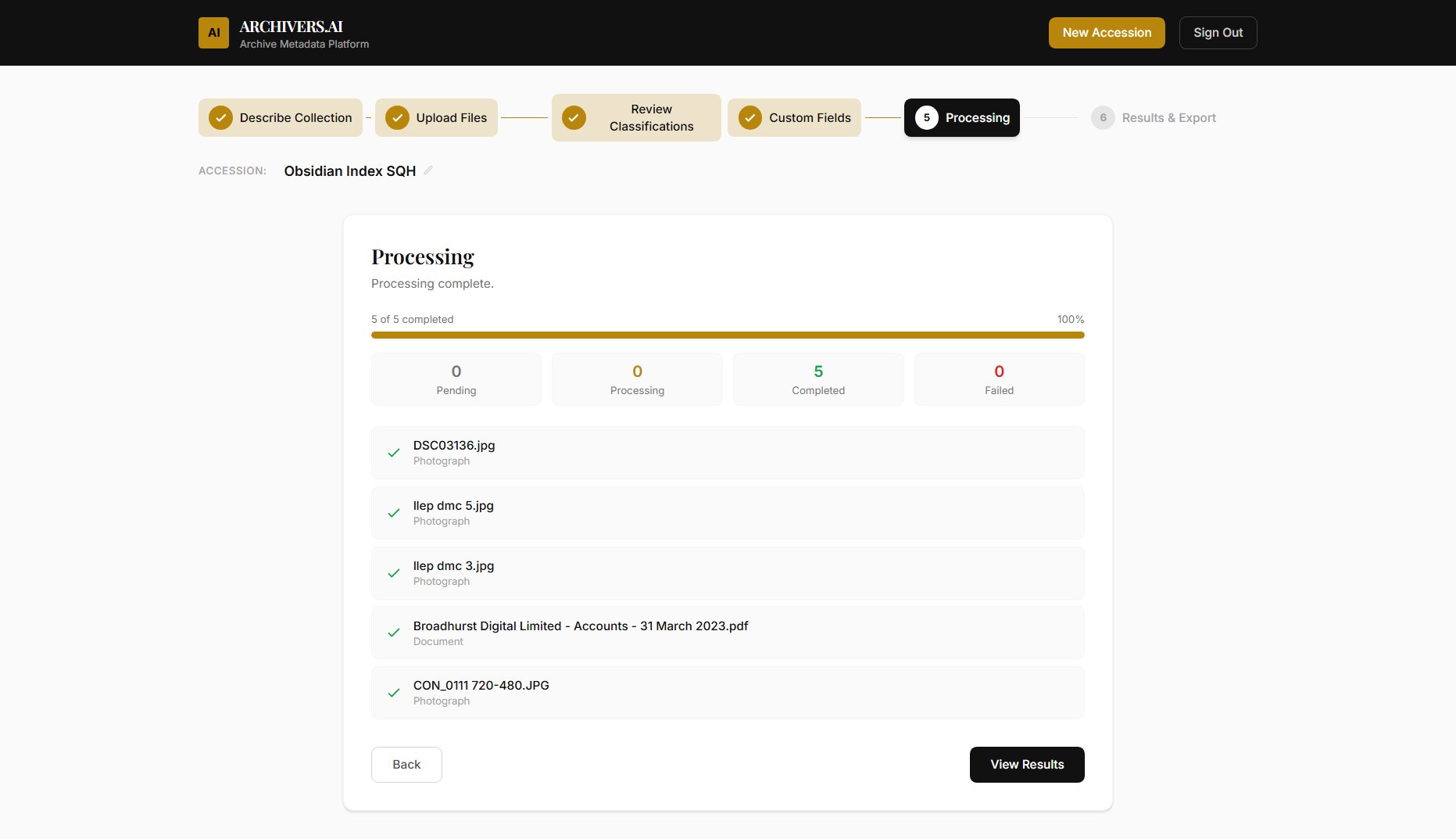
Hit process and the AI gets to work. It reads each item — running OCR on documents, analysing photographs, transcribing audio — and generates structured metadata: titles, dates, descriptions, subject terms, and ISAD(G)-aligned fields.
Processing happens in the background. You can close the browser and come back later, or watch the progress in real time as each item moves from queued to complete.
You approve, edit, or reject every field
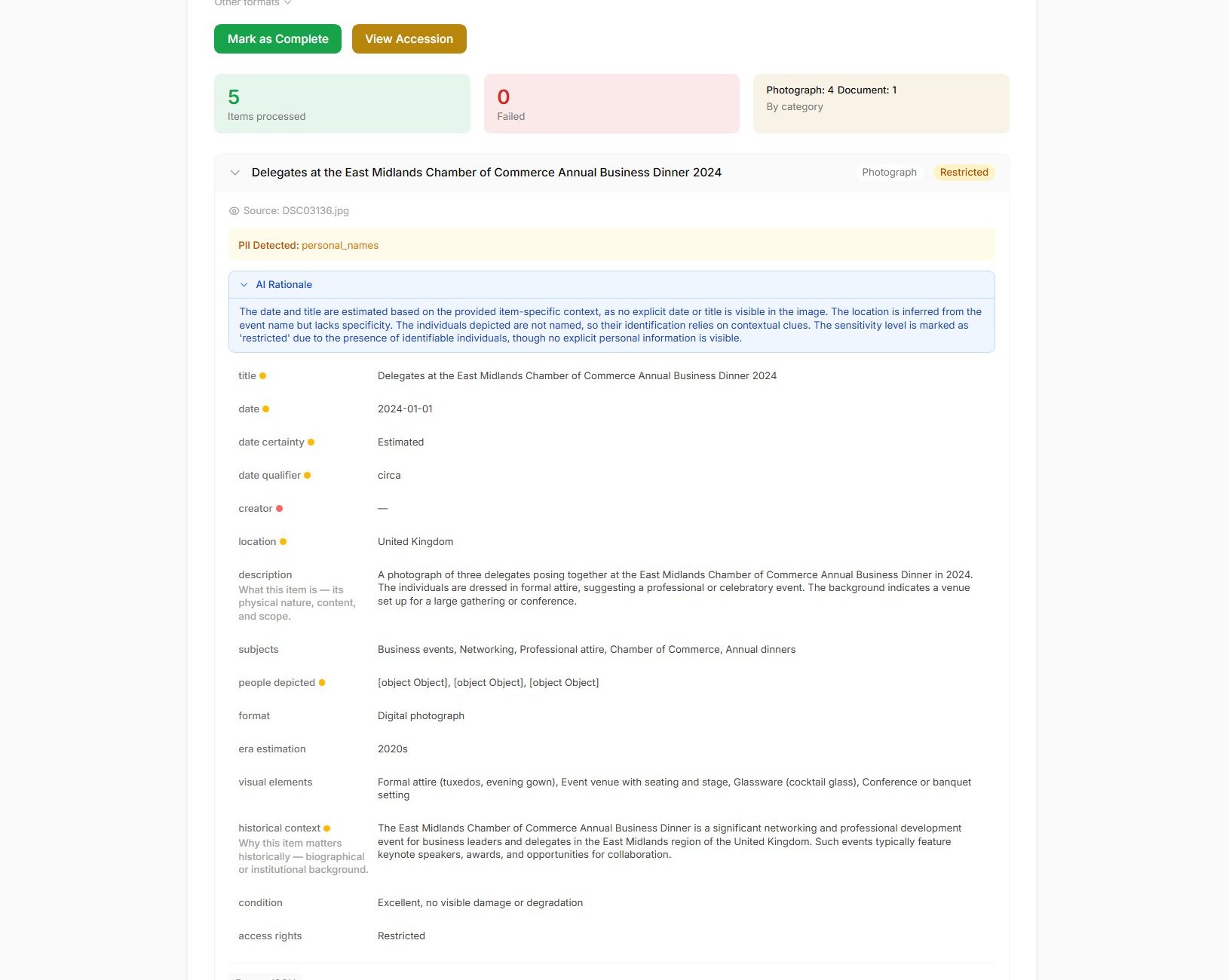
Every AI-generated field carries a confidence score. Low-confidence fields are flagged so you know exactly where to focus your attention. For each suggestion, the AI explains its reasoning — what it saw in the document and why it chose that value.
Edit any field, add your own notes, flag items for colleagues, or mark sensitive content with access restrictions. Nothing is final until you say it is. The AI is a tireless assistant, not a replacement for professional judgement.
Standards-ready outputs for your systems
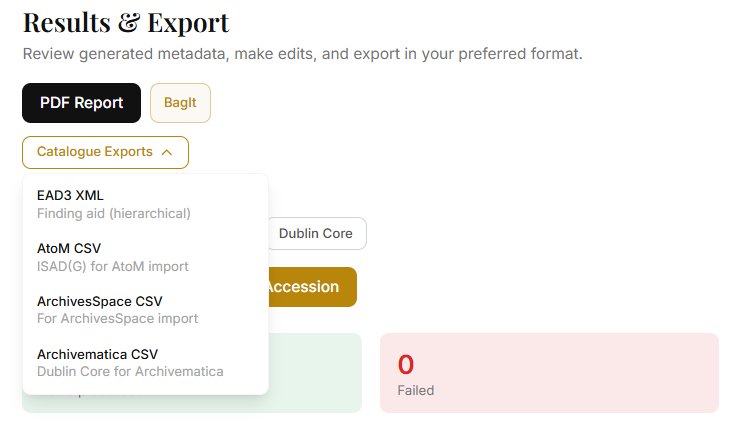
Export your catalogued collection in the format your systems need: EAD3 XML finding aids, BagIt packages with PREMIS provenance, Dublin Core XML, or CSV files formatted for direct import into AtoM, ArchivesSpace, or Archivematica.
Every export includes full provenance — recording that AI-assisted cataloguing was used, when it was performed, and which fields were reviewed by an archivist. Your exports are audit-ready from day one.
Explore your collection instantly
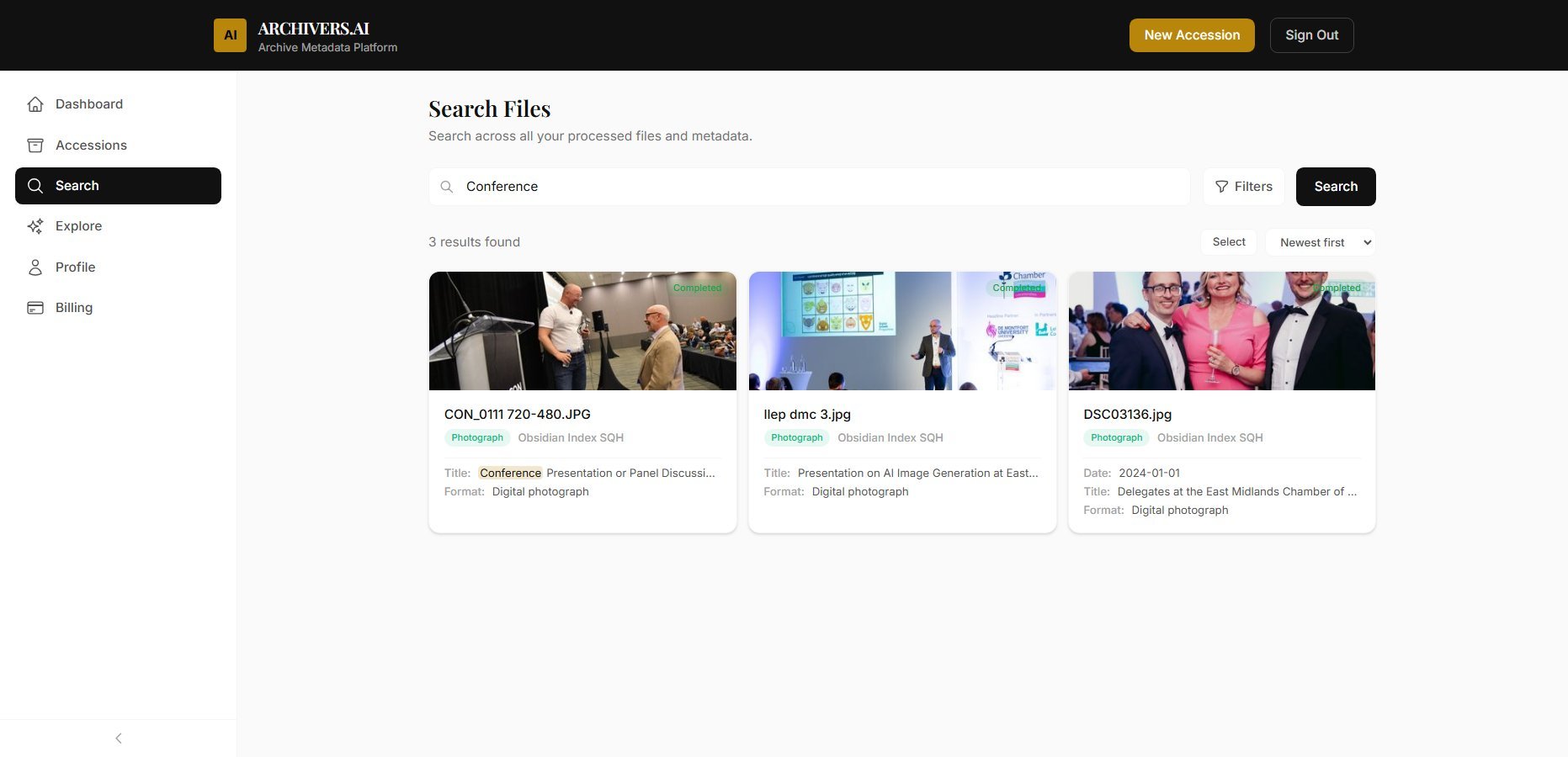
Once processed, your entire collection is searchable. Find items by keyword, date, subject, or format. Run a collection analysis to surface themes, identify gaps, and generate arrangement suggestions — all powered by the metadata your AI and archivists created together.